


Torus Updates
See what’s new, what’s coming, and how we’re building the future of open learning
Release Schedule
| Code Freeze Date | Release Date | |
|---|---|---|
| Torus v.0.32.0 (Design Demo) | November 10, 2025 | December 9, 2025 |
| Torus v.0.32b | February 2, 2026 | February 23, 2026 |
| Torus v.0.33.0 (Design Demo) | May 11, 2026 | TBD |
| Torus v.0.34.0 | July 20 | TBD |

Tap the image to get the current roadmap (as of Dec 1st)
2025 Strategy
This year, we’re focused on four key priorities:
- Build out data warehousing capabilities to supercharge our data processing and analysis
- Streamline development and product management practices to support smoother, more predictable releases
- Design targeted new features based on research with our users and community
- Ensure feature parity+ and migration support for courses moving from the OLI Legacy System
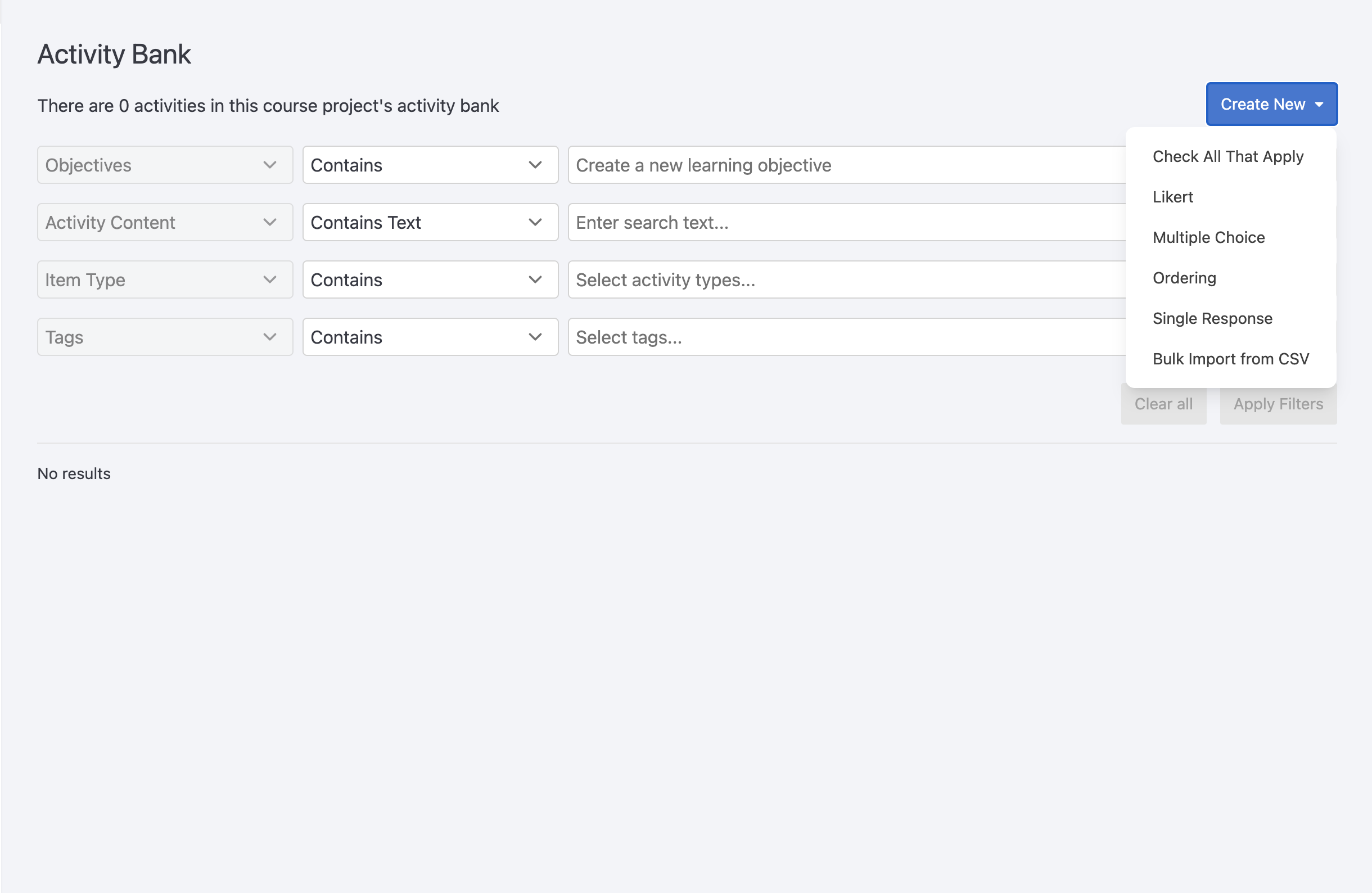 The Activity Bank lets you create and manage a library of reusable activities—like quiz questions—that can be pulled into different course pages. Activities are searchable, taggable, and aligned with learning objectives, making it easy to find what you need.
When building a course, you can select a subset of activities from the bank using filters or rules (e.g., random selection, tag-based criteria). This makes it easier to add variety, discourage memorization, and support student engagement.
Why use it?
-
Reuse questions across multiple pages without duplicating content
-
Randomly select questions to reduce memorization or cheating
-
Let students skip questions they don’t connect with
-
Centralize activity updates in one place
Related Links
- Watch the demo (starts at 36:55)
Documentation coming soon.
Related Link
- …
AI Activation Points let authors trigger the DOT AI assistant at specific places in a course—such as activities, paragraphs, groups, or full pages. When a student reaches an Activation Point, DOT AI responds based on the custom prompt provided by the author.
⚠️ Requires DOT AI to be enabled in the course section by a system administrator.
Why use it?
-
Add context-aware AI responses tied to course content
-
Trigger interactions based on student actions or page visits
-
Use custom prompts to guide DOT AI’s response
Related Links
Branching Questions allow authors to create multiple-choice questions that lead students to different follow-up content based on their answers. Instead of giving feedback immediately, each answer choice can direct the student to a different block of content on the same page.
This allows for conditional learning paths, where students explore tailored explanations, examples, or next steps based on their choices.
Related Link
 Certificates in Torus let authors set achievement requirements for a course, such as minimum scores or discussion activity. When students meet the conditions, they’re awarded a certificate—either automatically or after instructor approval. Authors can customize the certificate’s design, thresholds, and delivery settings.
⚠️ Certificate requirements must be finalized before creating a course section. They cannot be edited afterward.
Why use it?
-
Recognize student achievement through a formal certificate
-
Customize design and thresholds for completion or distinction
-
Track and manage certificates in the instructor dashboard
Related Links